Your identity stays yours.
No passport uploads. No selfie checks. No KYC process. Just your email, a display name, and a secure password.
Start without the paperworkA simpler home for your crypto. Manage your wallets, move your assets, and see every step clearly. No KYC required.

Less paperwork, fewer scattered screens, and a clear path from your first login to your next transfer.
No passport uploads. No selfie checks. No KYC process. Just your email, a display name, and a secure password.
Start without the paperworkThe asset, network, destination, and fee stay visible. Review the details before you authorize a withdrawal.
Take a closer lookYour assets, wallet addresses, transfer history, and account security together in a clean, familiar interface.
Explore the workspaceDeposit one crypto. Receive another in your own wallet.
Know what happens at every step in between.

Choose BTC, ETH, USDT, USDC, or SOL and an external payout address. USDT and USDC use Ethereum.
Review your estimated payout, minimum, and fees. The price is fixed after your deposit confirms. Follow conversion and payout with retained order records.
Sign in, then choose Assets → Fog Wallet.
Mainnet conversions depend on funded reserves and network availability.
Choose a pair, then step through a sample order.
Stages reflect recorded order events, not an estimated completion time. Network confirmations can take several minutes.
Choose both assets and your external destination. Review the estimated payout, your accepted minimum, fees, and refund address, then authorize with your authenticator.
Interactive illustration, not a live order. Example payout includes a fictional 1% service fee and $1 network cost on a $50 deposit. Your live estimate shows current pricing, fees, and your accepted minimum; the service fee is set by TrustCEX. If the minimum cannot be met or reserves are unavailable, refunds have no service fee. Network costs may apply and review can delay a refund.
A quick look at the real TrustCEX interface. Example data, clear steps, and no real funds moving.
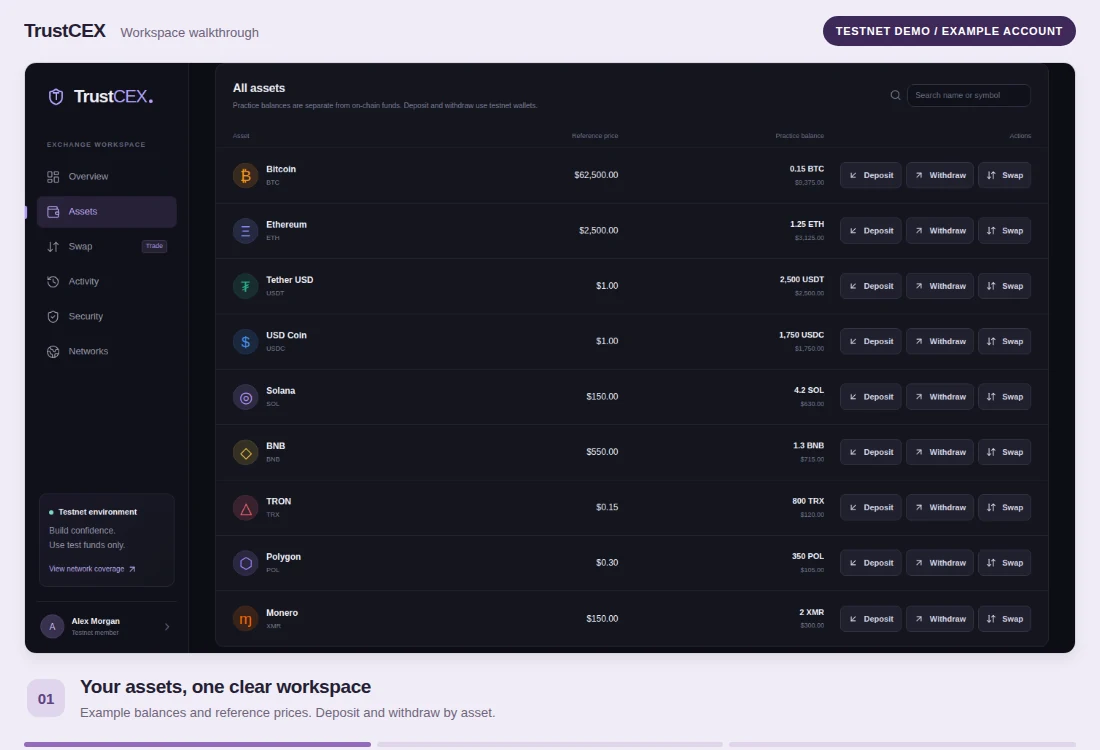
Security should be part of the experience. Add another layer to your account, check your activity, and authorize transfers with care.
Verify sensitive actions with your authenticator. Keep recovery codes somewhere safe.
Wallet secrets are encrypted in storage. TrustCEX is a hosted wallet service with managed signing.
Review the destination and fee, then follow your transfer’s status and confirmations.
Clear security checks. Visible security activity.
Understand the controls that protect your next move.
Use an email and a strong password.
No identity documents required.
Verify your email and set up
your authenticator protection.
Choose an available asset and network.
Review the details before you move.
Understand the experience before
you make your first move.
Choose your deposit asset, payout asset, and an external payout address before you start. Review the estimated payout, minimum you accept, and fees, then authorize with your authenticator. The price is fixed after your deposit confirms. If the minimum cannot be met or reserves are unavailable, your deposit is refunded without a service fee; network costs may apply and reviews can delay refunds. Otherwise TrustCEX uses its funded reserves to convert and send your chosen asset. BTC, ETH, USDT and USDC on Ethereum, and SOL are supported when reserves and their networks are available. The default service fee is 1%; your quote shows the applicable fee and estimated network costs. Order records and progress are retained. Fog Wallet conversions are available on mainnet only.
No. TrustCEX does not require KYC or ask you to upload a passport, identity document, or selfie to use the service. Create an account with your email, a display name, and a password, then verify your email. Email verification protects account access; it is not an identity check.
TrustCEX supports authenticator-based two-factor authentication, recovery codes, security locks, and an account activity history. Withdrawals require authenticator verification. Wallet secrets are stored encrypted, and you review the destination, network, amount, and fee before authorizing a transfer.
TrustCEX is a hosted wallet workspace. TrustCEX and its wallet services manage the wallet keys and signing infrastructure. Authorized administrators can deactivate accounts and initiate transfers or withdrawals from hosted customer wallets, with authenticator verification and an audit record. An account is not a self-custody wallet or a personal recovery phrase. Choose a wallet model that fits how you want to manage your crypto.
Account access follows clear security controls. Security locks, administrator restrictions, maintenance, or wallet-provider availability can limit account actions or transfers. You can review security activity while signed in. TrustCEX does not promise unrestricted or uninterrupted access under every circumstance.
Native wallet transfers are implemented for Ethereum, BNB Smart Chain, and Polygon. Additional networks depend on activated wallet integrations; Monero also needs a synchronized wallet service. Check the network and its current availability in the workspace before depositing. Swaps are available only for configured markets.
Yes. The separate TrustCEX testnet lets you explore the workspace with test assets. Testnet and mainnet use separate accounts, wallets, and balances. Test assets have no monetary value and cannot be sent to mainnet wallets. The workspace walkthrough uses an example testnet account. The separate Fog Wallet illustration shows a mainnet conversion without moving funds.
Your crypto workspace, without the KYC process.